Cold War Europe, 1985
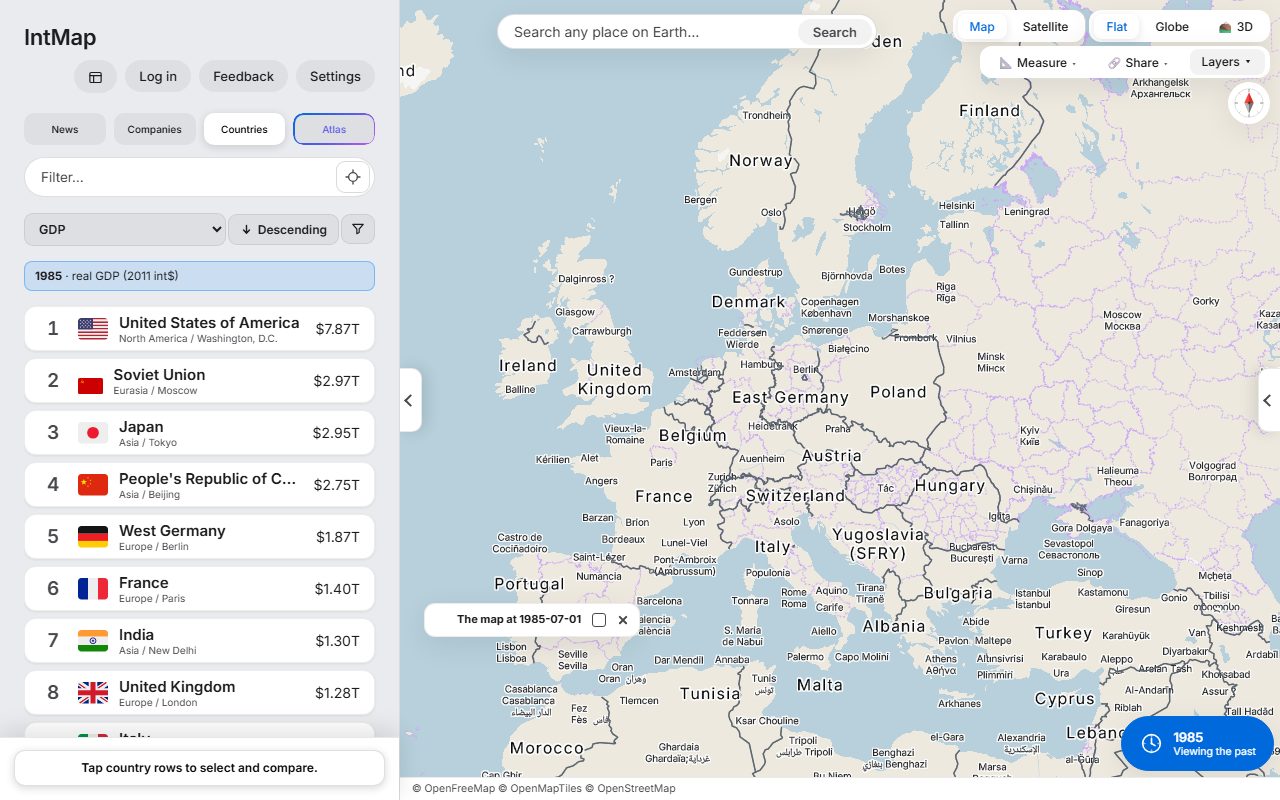
West Germany and East Germany side by side, with Czechoslovakia, Yugoslavia and the Soviet Union, on the borders CShapes 2.0 records for that day.
Open this map →Set up the view you need in IntMap — the place, the date, the layers — and paste one line into your article. Readers can move and zoom the map; the credit line stays in the frame.
Borders as they stood on a given day, from 123,000 BC to today, on the same map as the present.
166 data layers — from earthquakes and volcanoes to climate and infrastructure — each with its source named.
By default readers can pan and zoom. One switch makes the frame a still picture of exactly your view.
Share, then Cite, writes the line to put under a published map: the date it shows, its link and every source drawn on it.
Save the borders the map draws on a date as GeoJSON for QGIS, Datawrapper or Flourish. Each shape keeps its source, its dates and its licence; shapes whose terms are non-commercial are left out, and the file says which.
Press any border to see which record drew it, who stated its dates and how precise its outline is — the checking a fact-check needs.
Open IntMap and move to the place you are reporting on.
Move the clock to the date you need and switch on the layers that tell the story.
The Share button turns the view into a link; its Embed tab turns the same link into an iframe.
480×320, 640×400 or 960×600, or full width. Choose whether readers may pan and zoom.
Paste the code into your CMS where it accepts HTML. The frame loads lazily and shows no sign-in, no pop-up and no button of the app.
The press room has the descriptions to quote, the facts with their owners, and the logo and screenshots to download.
Open the press room →West Germany and East Germany side by side, with Czechoslovakia, Yugoslavia and the Soviet Union, on the borders CShapes 2.0 records for that day.
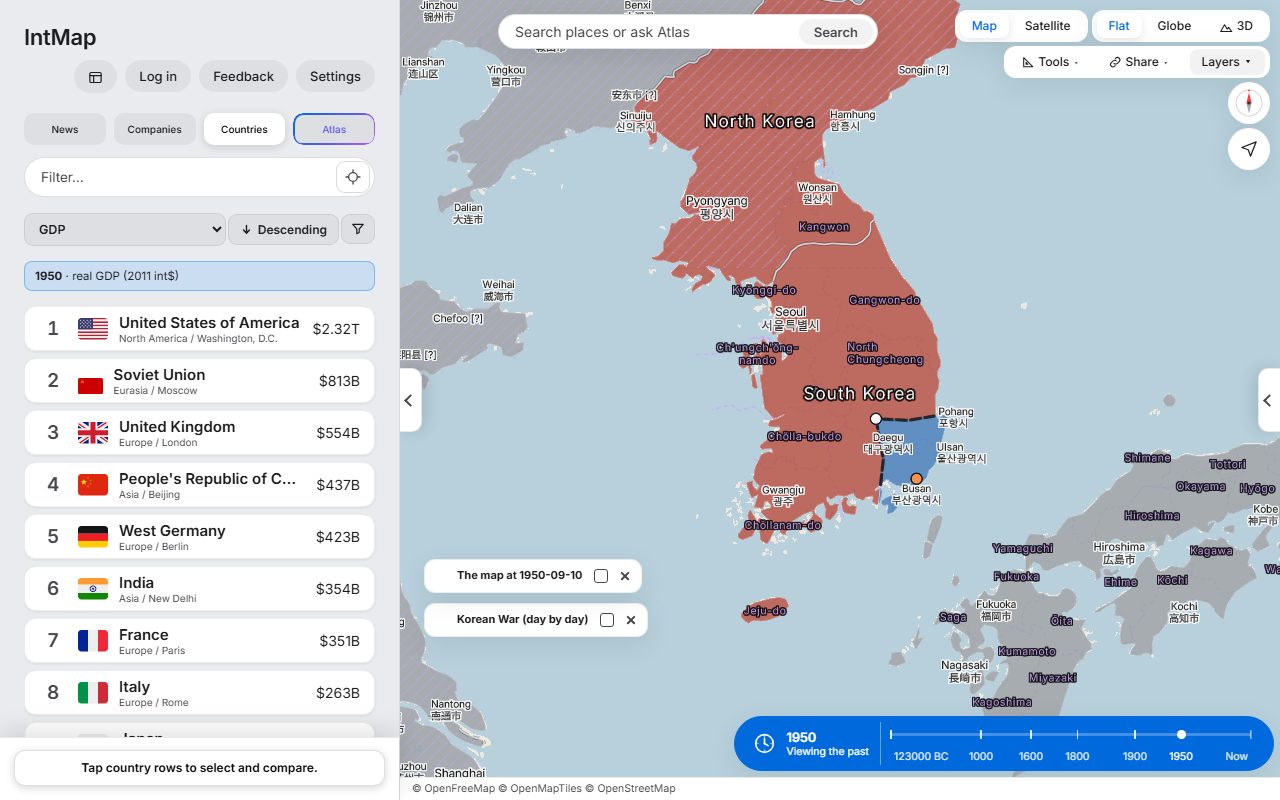
Open this map →Eleven weeks into the war, from the war record IntMap carries: who held which part of the peninsula on that day.
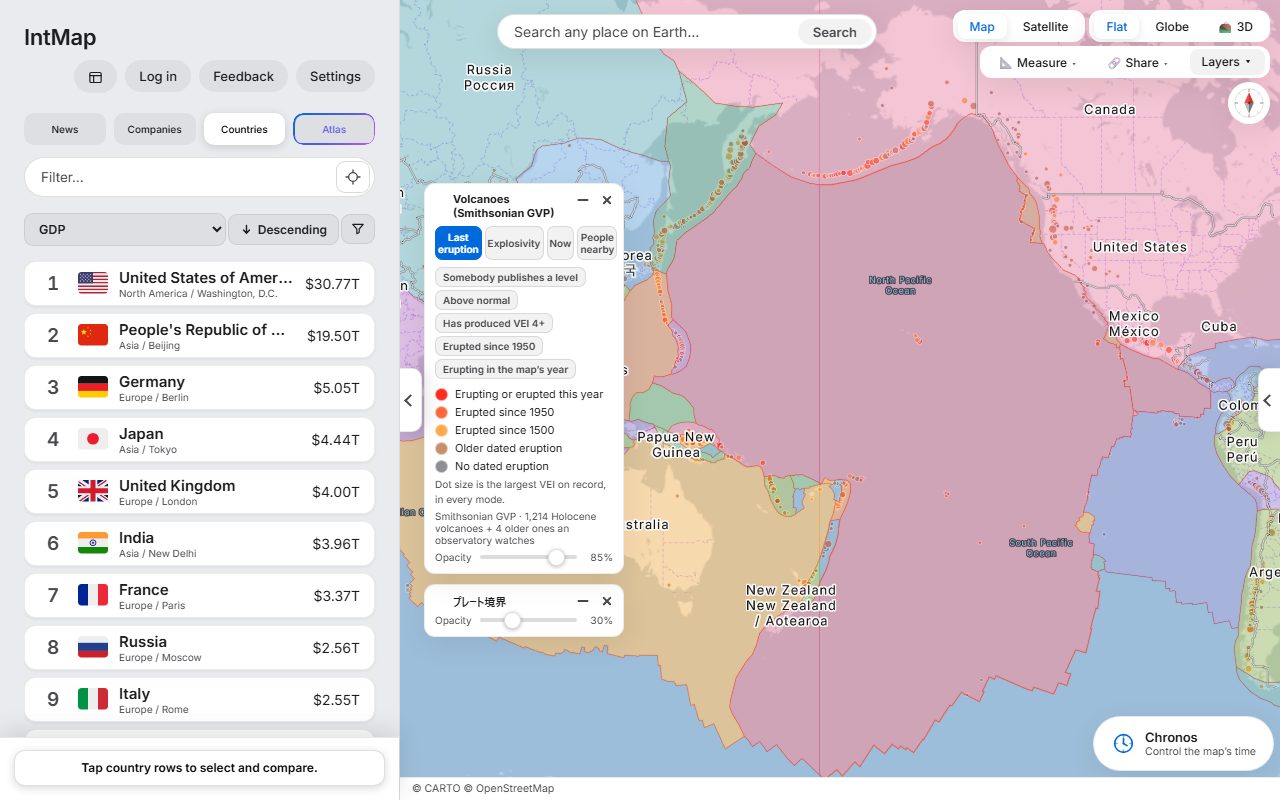
Open this map →Holocene volcanoes from the Smithsonian Global Volcanism Program, over the plate boundaries of Bird (2003).
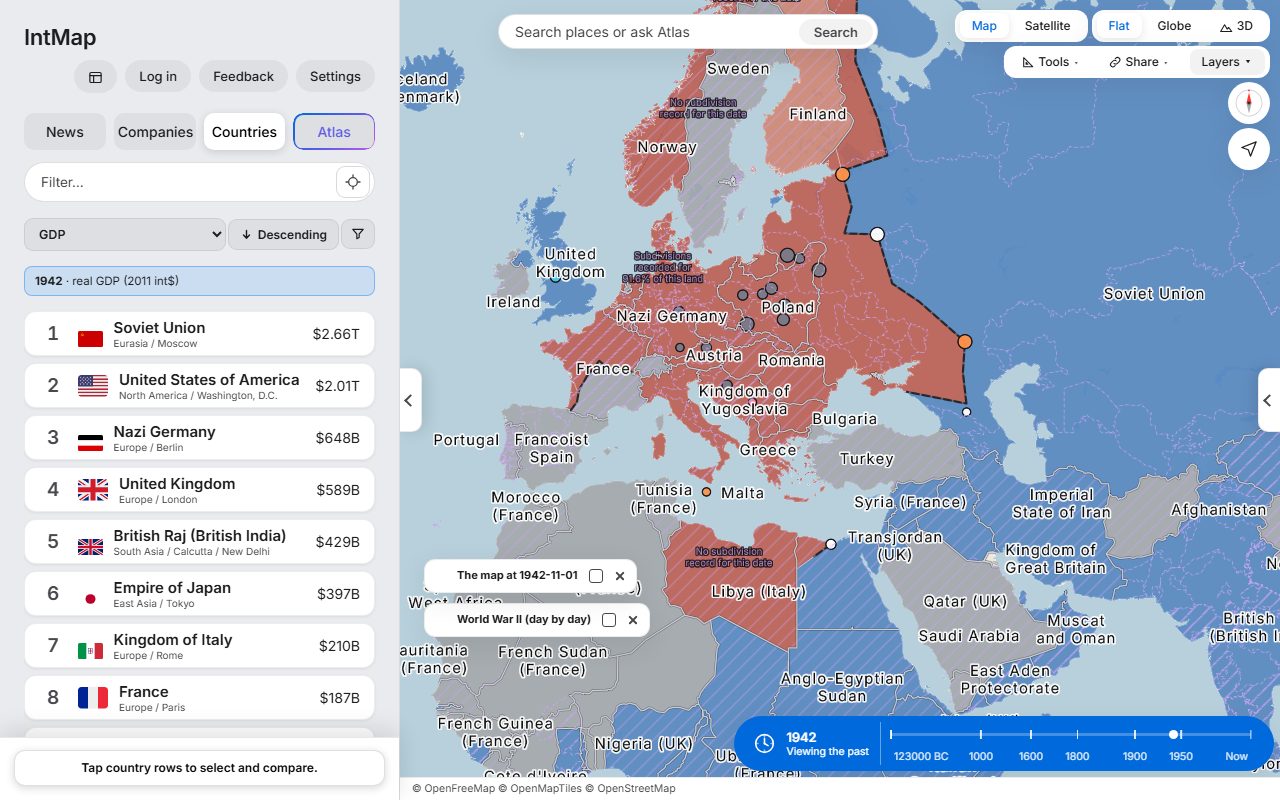
Open this map →Who held which territory on that day, Axis or Allied, from the war record IntMap carries.
Open this map →These are example maps anyone can open — not customer stories. IntMap has no published case studies yet.
No fee is charged for embedding the public map. If your organisation is commercial and you want to be sure your use does not fall under the software licence's commercial clause, ask us first and we will answer in writing.
The embed carries the whole view — place, date, layers — in its address. A historical date shows the same borders. A live layer (earthquakes, for example) shows the data as it stands when a reader opens it; for a fixed record of a moment, use a screenshot with the credits. IntMap offers no service-level guarantee.
Keep the credit line of the map with the picture and check the licence of each layer you show on the data sources page; some sources set conditions of their own. Ask us if a source is unclear.
IntMap shows no advertising and uses no third-party analytics. The privacy policy lists every service the map contacts and what it sends.
Write to us with what you need. We will tell you honestly whether IntMap can show it, and how.
IntMap is free to use and is paid for by donations. There is no paid plan today. A paid plan for heavier use of the AI features may come later; what it would include and cost has not been decided, and anything free today stays free.
Every dataset keeps its own licence and credit; the data sources page lists them. The map's credit line names the sources of what is drawn and stays visible in an embed. IntMap's own software is free for personal, educational and non-profit research use; commercial use of the software needs a separate licence (LICENSE §3). If you are unsure which applies to you, ask before you publish.
Data sources →