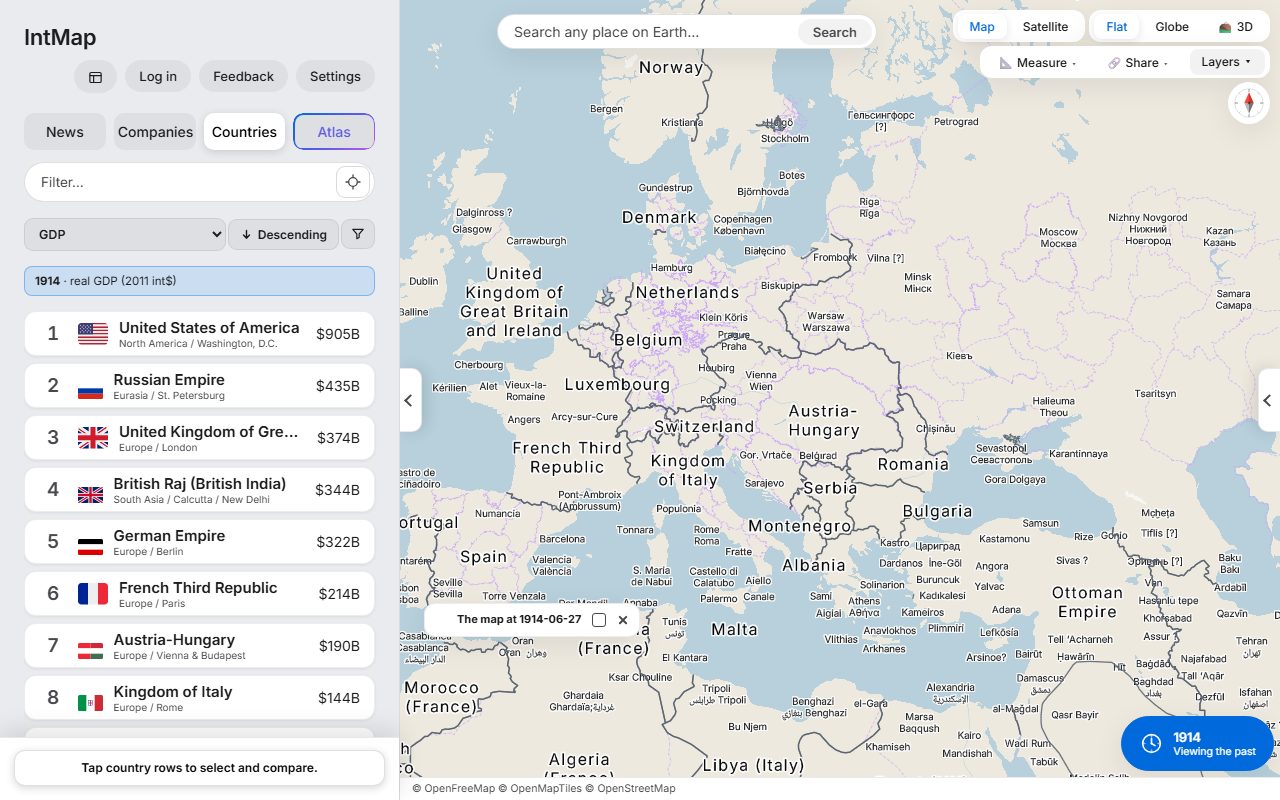
Europe on 27 June 1914
The day before the shots in Sarajevo: Austria-Hungary, Serbia, Montenegro and the Ottoman Empire, with the borders CShapes 2.0 records for that day.
Open this map →IntMap runs in a web browser. Students open a link and see the map their teacher chose — no installation and no student accounts.
Everything on the map works without signing in, so no student personal data is needed. Accounts are for people aged 13 and over (Terms §3).
Tablets, Chromebooks and PCs with a current browser that supports WebGL. It can also be added to the home screen like an app.
Borders from 123,000 BC to today and 166 data layers, each with its source named.
IntMap shows no advertising and uses no third-party analytics.
Allow the IntMap site itself and the map, data and font services it loads. The privacy policy lists every one of them, with what each receives.
The map is drawn with WebGL. A browser or a policy that turns WebGL off shows no map.
There is no app to distribute and no extension. A link is the whole deployment.
Atlas, which answers questions in words, needs an account and has a limit of 10 questions per account per day. The map does not need it.
A 50-minute lesson plan, classroom tours, how to make a tour of your own and example maps with questions for class are on the page for teachers.
The day before the shots in Sarajevo: Austria-Hungary, Serbia, Montenegro and the Ottoman Empire, with the borders CShapes 2.0 records for that day.
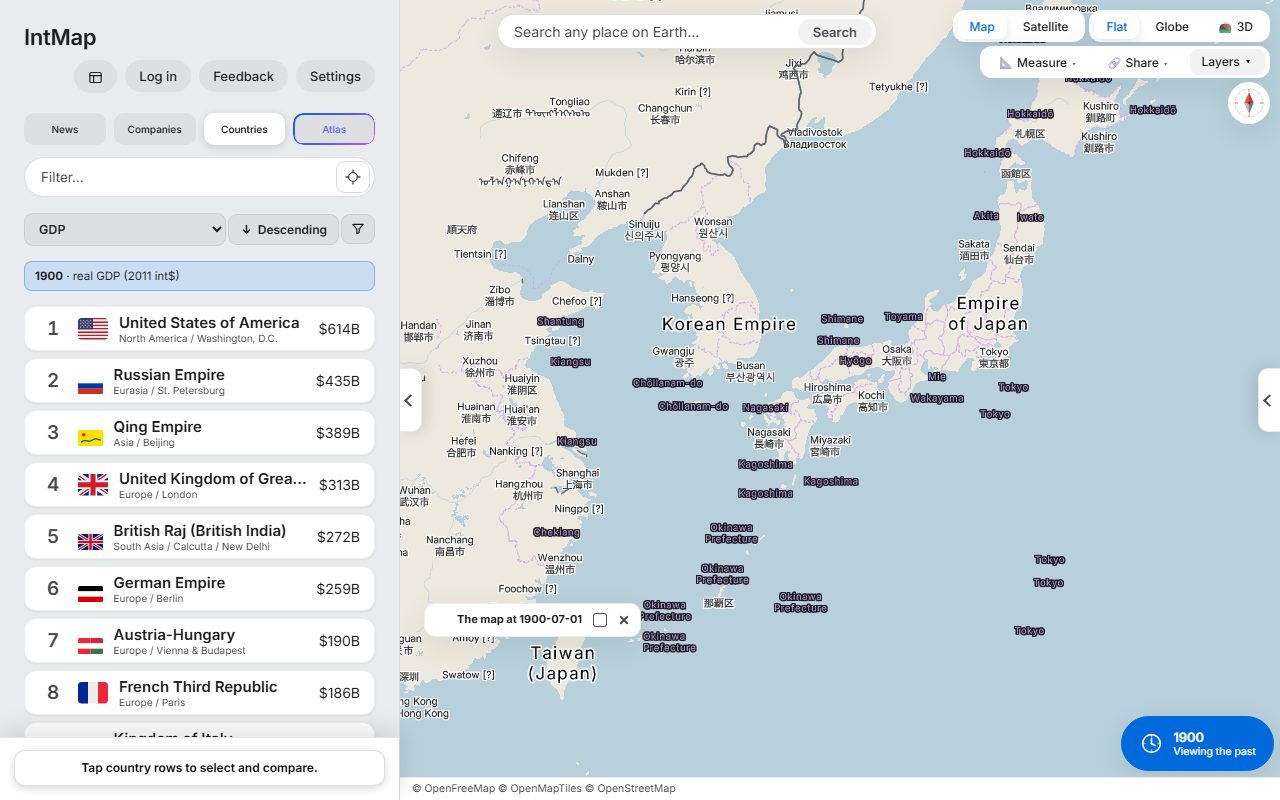
Open this map →Japan divided into prefectures, not the old provinces: the domains were abolished in 1871. Taiwan is under Japanese rule, and Korea is the Korean Empire.
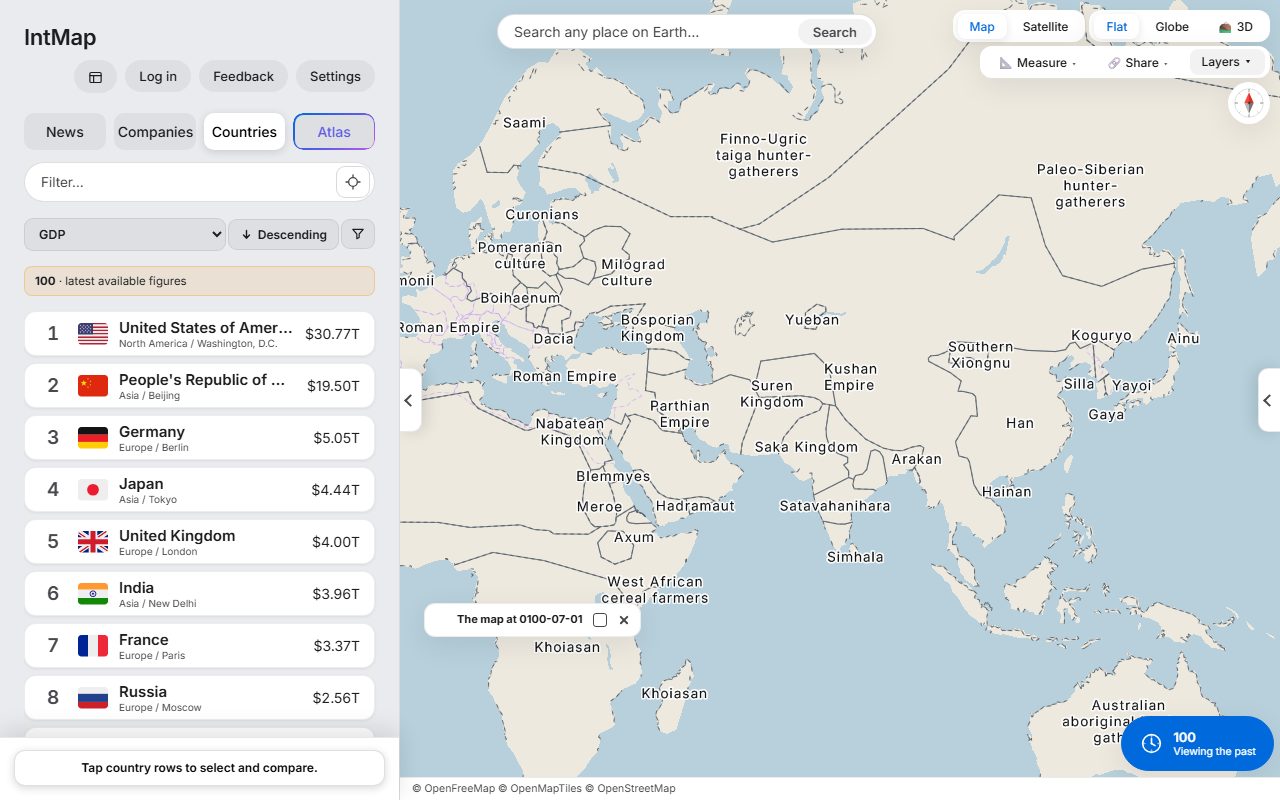
Open this map →The Roman Empire and Han China at the two ends of Eurasia, with the Parthian and Kushan empires between them — the historical-basemaps snapshot for AD 100.
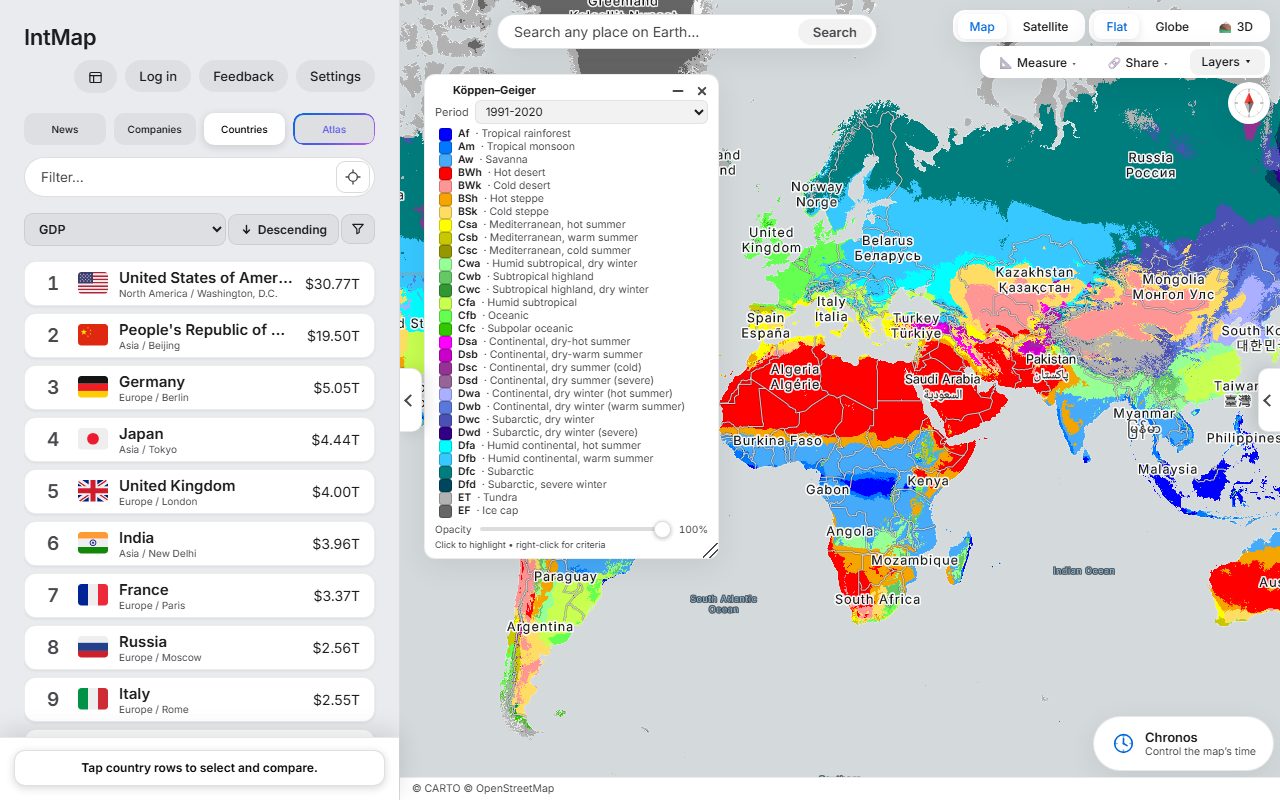
Open this map →The Köppen–Geiger climate classification of Beck and colleagues, for 1991–2020.
Open this map →These are example maps anyone can open — not customer stories. IntMap has no published case studies yet.
No. Using the public site in teaching is free and needs no contract. IntMap's software licence allows educational use.
Yes — write to us. We cannot promise visits or training sessions, but we answer questions about what the map can show.
Tell us through the feedback button in the map or this form. Historical maps are checked against the record, and a reported error is investigated at its source.
IntMap is free to use and is paid for by donations. There is no paid plan today. A paid plan for heavier use of the AI features may come later; what it would include and cost has not been decided, and anything free today stays free.
Every dataset keeps its own licence and credit; the data sources page lists them. The map's credit line names the sources of what is drawn and stays visible in an embed. IntMap's own software is free for personal, educational and non-profit research use; commercial use of the software needs a separate licence (LICENSE §3). If you are unsure which applies to you, ask before you publish.
Data sources →