Put a live map in your article.
Set up a map in IntMap, copy one line of HTML from Share, Embed, and paste it into your page. Your readers get the same view, layers and date — a map, not a screenshot.
Free. No account is needed to make or to show an embedded map.
Three steps
Set up the map
Go to the place, turn on the layers and set the clock to the date you are writing about.
Share, then Embed
Press Share and choose the Embed tab. Pick one of its sizes, choose whether readers may pan and zoom, and copy the code.
Paste it into your page
The code is a standard iframe element. Paste it wherever your editor accepts HTML.
The sizes the Embed tab offers, in pixels (width × height): 480 × 320 · 640 × 400 · 960 × 600 · 100% × 450
The code
This is the code IntMap writes for the map pictured below, at the medium size:
<iframe src="https://rwmqx7dwb5-arch.github.io/IntMap/index.html?embed=1#v=22.0000,48.5000,3.30,0,0,f&tt=1914-06-27" width="640" height="400" style="border:0;max-width:100%;" loading="lazy" referrerpolicy="strict-origin-when-cross-origin" title="IntMap map"></iframe>With interactive=0 added to the address, the frame is a still map that cannot be panned or zoomed:
<iframe src="https://rwmqx7dwb5-arch.github.io/IntMap/index.html?embed=1&interactive=0#v=22.0000,48.5000,3.30,0,0,f&tt=1914-06-27" width="640" height="400" style="border:0;max-width:100%;" loading="lazy" referrerpolicy="strict-origin-when-cross-origin" title="IntMap map"></iframe>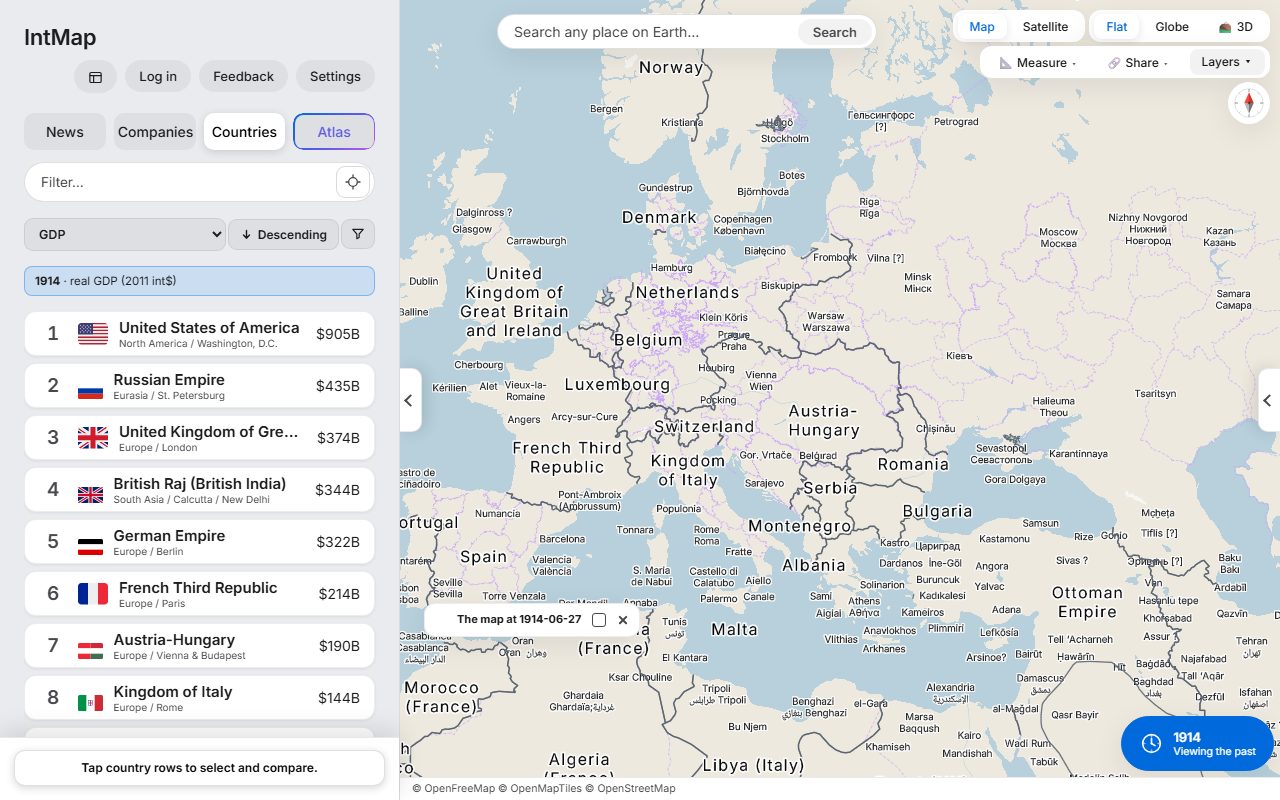
Europe on 27 June 1914
Developers →What your readers see
The map as you set it
The same view, layers and date, with their legends and the date on the clock. A map set to a date stays at that date; a map set to now shows the data that is current when it is read.
Every data credit
The credits each data source asks for stay visible in the frame. In a narrow frame they wrap onto more lines rather than being cut off.
A way to the full map
A link in the frame opens the same view in IntMap, where the reader can explore further.
Nothing else
The frame is read-only: no panels, no search, no sign-in and no pop-ups — only the map, which readers may pan and zoom unless you turned that off.